Tooling & Productivity
Tool Finder
30 January 2026
Helping public officers quickly find the right digital tools for their work problems.
.png)
Try it out here!
Opportunity
Government workers often know what they need to do - track attendance, monitor submissions, send follow-ups - but struggle to figure out which existing tools can actually help, and how to use them together efficiently. Even when suitable tools already exist, officers spend time scanning repositories, interpreting technical descriptions, or defaulting to manual workarounds like Excel.
Tool Finder was prototyped during Hack for Public Good 2026 to tackle this exact pain point - by helping public officers move from problem → tools → workable solution, with confidence.
The Goal
We want to eliminate the friction between government workers identifying a problem and discovering the right digital tools to solve it. Our focus is on creating a simple discovery system that works the way public servants naturally think about their problems.
Research & Approach
We surveyed 33 officers across 13 agencies, from administrators to policy maker to understand the current pain points users face when it comes to discovering tools:
Key Findings
57% of survey respondents don't know what tools exist when they need them
One noted: "there's a first hurdle in getting to know it exists"
Discovery relies on informal networks, not searchable/official channels
70% discover tools through colleagues/word-of-mouth
Finding the right tool for specific needs causes confusion
"There are too many similar options, how do I know which one fits my purpose best without needing to trial and error?"
This creates knowledge bottlenecks where useful tools remain underused simply because the right people haven't heard about them. Meanwhile, officers continue time-consuming manual processes in Excel that existing government tools could easily automate.
Velocity
Over the past month, we built and tested Tool Finder - a working system that helps officers translate work problems into specific tool suggestions with setup help from 57 government tools (includes both OGP and GovTech tools).
What officers can do today:
✅ Describe work problems in plain language and get matched to relevant tools
✅ Understand why each tool fits and how tools work together
✅ Access step-by-step setup guidance through Slack (OGP staff) or web interface
✅ Move from problem to working solution without technical expertise
Rather than presenting a catalogue of products, Tool Finder connects problems → tools → workflows in a way that aligns with how officers think.
📖 Example scenario: “I need to collect attendance, view a live dashboard, and send follow-ups to supervisors and participants.”
Tool Finder would guide the user through:
Identifying relevant tools for data collection, dashboarding, and communications
Explaining why each tool is appropriate for their specific needs
Outlining how the tools work together in an end-to-end solution
Providing templates and next steps for immediate setup
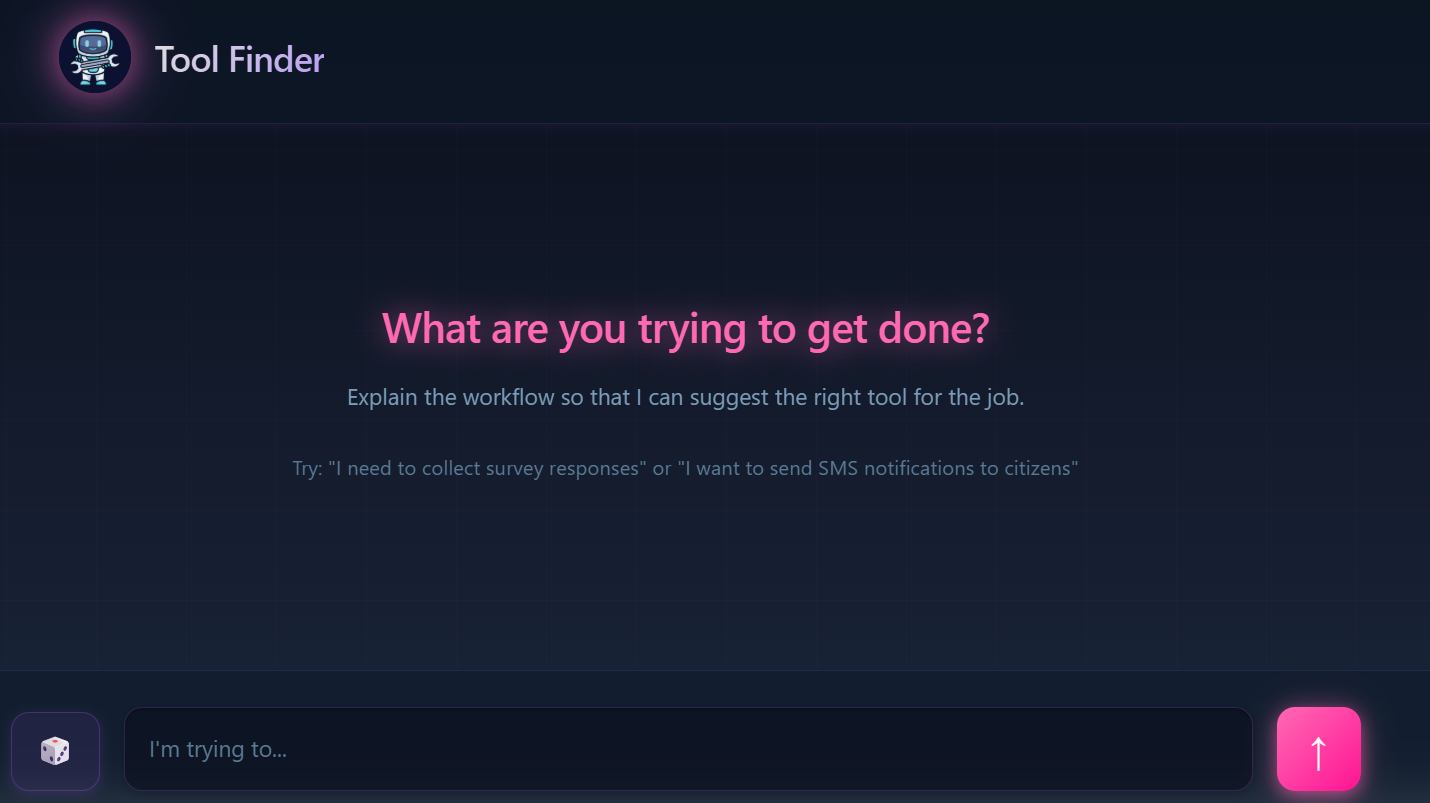
.png)
Webapp
.png)
Slackbot
Traction
We tested with officers from 6 agencies including CPF, CSC, MDDI and MOE using real-life scenarios like:
“I want to collect data easily, view live updates in a dashboard, and send automated follow-up emails.”
Early results: User confidence: 3.7, Ease of use: 4.8, Avg rating: 4.2/5
Feedback
Some of the feedback we received include:
So much easier than reading all the product docs and asking around.— Ops Manager
Operations-focused agencies will find this especially valuable, as it prevents them from building internal tools that replicate what other government agencies have already developed— Middle Management
What we found:
Tool discovery works and validates our problem
80% of users received accurate tool recommendations on their first attempt, with feedback like "This is so much easier than reading all product docs and asking around," directly validating that officers struggle with tool discovery and our solution addresses this pain point.
First response accuracy drives user trust
Users judge the entire system based on the initial answer - wrong tools or broken links immediately reduce confidence and discourage further use, making accuracy more important than comprehensiveness.
Technical execution gaps limit adoption
While users valued the core recommendations, all 5 encountered UI problems (broken links, unclear instructions, interface mismatches) that prevented task completion and dropped confidence ratings to 3/5.
Meet The Team